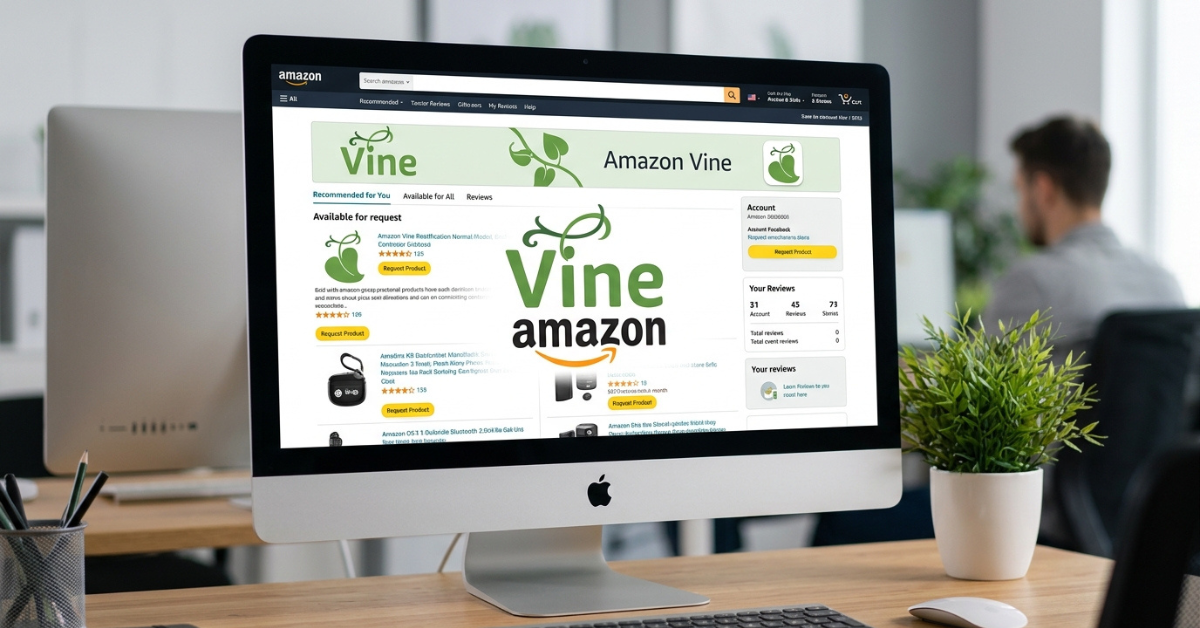
Finding the right place to sign in can be confusing when you first hear about Amazon Vine login. That is because Amazon Vine works differently for reviewers and sellers. Vine Voices are invited reviewers, while sellers use Seller Central to enroll eligible products in the program.
Whether you want to access your Vine account, understand how Vine Voice login works, or learn where sellers manage their Vine products, this guide explains the process in simple terms.
What Is Amazon Vine?
Amazon Vine is a product-review program that connects selected Amazon reviewers, known as Vine Voices, with sellers offering eligible products. Vine Voices can receive products at no cost and provide honest reviews based on their experience.
For sellers, the program is designed to help generate authentic customer reviews for eligible products. Amazon says Vine can provide up to 30 reviews for an enrolled product, depending on the applicable program tier and requirements.
The important thing to understand is that Vine has two different sides:
- Vine Voices: Amazon customers invited to participate as reviewers
- Sellers: Businesses that enroll eligible products through Seller Central
Because of this, there isn’t one universal Amazon Vine login page that works the same way for everyone.
Amazon Vine Login: Where Do You Sign In?
If you are already a Vine Voice, your Vine access is associated with your Amazon customer account. Amazon’s Vine program is invitation-only for reviewers, meaning there is no standard public application form for someone to simply create a Vine Voice account.
After receiving an invitation, eligible reviewers can access the Vine area using the Amazon account connected to their participation.
If you’re a seller, the process is different. Amazon directs sellers to sign in through Seller Central, where eligible sellers can access the Vine dashboard.
Amazon Vine Login for Vine Voices
If you have received a Vine invitation, generally:
- Go to Amazon and sign in with the account associated with your Vine participation.
- Open the Vine section available to your account.
- Review the products currently available to you.
- Select eligible products according to the Vine program rules.
- After receiving and trying a product, submit an honest review.
Amazon says Vine Voices are selected based on the insightfulness of the reviews they have previously published on Amazon. Factors such as review quality, helpfulness, consistency and category relevance are referenced in Amazon’s Seller Central guidance.
Amazon Vine Login for Sellers
Sellers don’t use a separate consumer Vine account. Instead, they access Vine through Seller Central.
The basic process is:
- Sign in to your Amazon Seller Central account.
- Make sure your selling account and brand meet Vine requirements.
- Open the Vine section from Seller Central.
- Check which products are eligible.
- Enroll an eligible product.
- Monitor claims and published Vine reviews through the Vine dashboard.
Amazon currently says sellers need a Professional selling account and, for branded products, a brand enrolled in Amazon Brand Registry, along with eligible FBA offers.
Is Amazon Vine Login Available to Everyone?
No. This is one of the most important points to understand.
Anyone with a regular Amazon account can shop on Amazon, but that does not automatically make them a Vine Voice. Amazon’s official Seller Central guidance describes Vine Voices as invited reviewers, and Amazon states that there is no public application or sign-up page for becoming a Vine reviewer.
In other words, simply searching for an Amazon Vine login does not allow a new user to create a Vine Voice account.
How Are Vine Voices Selected?
Amazon says Vine Voices are selected based on the quality and usefulness of their existing reviews.
Amazon’s guidance mentions factors including:
- Review quality
- Helpfulness of previous reviews
- Consistency
- Relevance to product categories
- Purchase and review history
There is no guaranteed method for obtaining an invitation. Writing detailed, honest and useful reviews on products you actually use is the type of activity Amazon identifies as relevant to Vine selection.
What Can Vine Voices Do After Logging In?
Once invited and given access, Vine Voices can browse products made available through the program.
The basic experience involves:
- Viewing products available through Vine
- Choosing products based on personal interests
- Receiving eligible products
- Testing or using the products
- Writing honest reviews
- Monitoring review-related activity
The purpose is not simply to receive free products. Vine is structured around providing useful feedback to other Amazon shoppers.
Amazon describes Vine Voices as reviewers selected for their ability to publish insightful opinions that help customers make informed purchasing decisions.
Amazon Vine Login Not Working: What Should You Check?
If you expect to have Vine access but cannot find it, don’t immediately assume your account is broken.
Try these steps:
1. Confirm the Amazon Account
Make sure you’re signed into the same Amazon account associated with your Vine participation.
Using another Amazon account can make it appear as though Vine access has disappeared.
2. Check Whether You Were Actually Invited
A normal Amazon customer account does not automatically qualify for Vine.
If you’ve never received an invitation, you may not have Vine Voice access.
3. Check Seller Central if You’re a Seller
If you are trying to manage products rather than review products, sign in to Seller Central instead.
Amazon directs sellers to Seller Central for Vine enrollment and management.
4. Check Your Product Eligibility
For sellers, a product may not appear as eligible simply because the seller has access to Vine.
Amazon lists requirements involving factors such as FBA fulfillment, product reviews, listing information, inventory and brand eligibility.
5. Avoid Unofficial Login Pages
Be careful when searching for an Amazon Vine login on search engines.
Never provide your Amazon password, payment information or verification codes to an unfamiliar website claiming to provide Vine access. Use Amazon’s official website and Seller Central instead.
Amazon Vine Seller Eligibility
Amazon Vine isn’t available to every seller or every product.
According to Amazon’s current seller information, sellers participating in Vine need a Professional selling account and appropriate brand or catalog eligibility. Branded products generally require participation in Amazon Brand Registry, while eligible FBA offers are also required.
Amazon says eligible products generally need:
- An FBA offer
- Fewer than 30 reviews on the product detail page
- A product image
- A product description
- Available inventory
- Appropriate product eligibility
Amazon also excludes certain categories, including adult and digital products.
How Does Amazon Vine Work for Sellers?
Once a seller enrolls an eligible product, Vine Voices can request available units.
The general process looks like this:
- Seller enrolls the product
- Amazon makes the product available to Vine Voices
- A Vine Voice claims an available unit
- Amazon fulfills the product
- The reviewer uses the product
- The reviewer writes an honest review
- The seller monitors Vine activity through Seller Central
Importantly, enrollment does not guarantee that reviewers will claim every product. Amazon’s Seller Central guidance notes that Vine Voices choose products according to their own interests.
Does Amazon Vine Guarantee Positive Reviews?
No.
Vine reviews are intended to be honest and unbiased. Sellers provide products to Vine Voices, but they should not treat Vine as a system for purchasing positive reviews.
That distinction matters because the value of the program comes from genuine customer feedback rather than guaranteed praise.
For sellers, a critical review can also reveal issues with a product, listing or customer experience that may need improvement.
Is Amazon Vine Free?
The answer depends on whether you’re talking about reviewers or sellers.
For Vine Voices, products are provided through the program at no charge to the reviewer, subject to the program’s applicable rules.
For sellers, Amazon’s Vine program can involve enrollment fees depending on the applicable tier and marketplace. Amazon’s current seller page should be checked for the latest pricing and eligibility terms before enrolling.
The product itself also represents a cost to the seller because inventory has to be provided for Vine reviewers.
Is Amazon Vine Available in Pakistan?
Amazon’s official seller information currently lists Vine availability in the US, Canada, UK, France, Germany, Italy, Spain, Australia and Japan. Pakistan is not included in that list.
This is particularly important if you’re searching for Amazon Vine login Pakistan. Having an Amazon account from Pakistan does not, by itself, provide access to Vine.
Availability can change, so sellers and reviewers should always check Amazon’s current program information rather than relying on older articles or social media posts.
Amazon Vine Login vs. Amazon Seller Central Login
These two terms are easy to mix up.
| Feature | Vine Voice | Amazon Seller |
| Main purpose | Review products | Enroll products |
| Access | Invitation-based | Seller Central |
| Receives products | Yes, eligible Vine products | Provides inventory |
| Writes reviews | Yes | No, sellers don’t review their own products |
| Product enrollment | No | Yes |
| Amazon account | Customer account | Seller account |
| Main dashboard | Vine area | Seller Central Vine dashboard |
The distinction helps explain why searching for a single “Vine login” page can sometimes be confusing.
Tips for People Interested in Becoming Vine Voices
There is no public application that guarantees admission, but Amazon’s own guidance gives some useful context.
If you regularly review products on Amazon:
- Write detailed reviews based on actual experience.
- Explain both advantages and limitations.
- Avoid vague one-line reviews.
- Focus on useful information for other shoppers.
- Keep your reviews honest and relevant.
- Build a consistent history of helpful reviews.
Amazon specifically says Vine Voices are selected based on the insightfulness of reviews they have published.
Frequently Asked Questions
What is the Amazon Vine login?
Amazon Vine login refers to accessing the Vine program through the Amazon account associated with an invited Vine Voice. Sellers access Vine through Seller Central rather than a separate consumer Vine account.
Can anyone sign up for Amazon Vine?
No. Amazon describes Vine Voices as invited reviewers and says there is no public application or sign-up page for becoming a Vine Voice.
How do I become an Amazon Vine reviewer?
Amazon selects Vine Voices based on factors related to their reviewing activity. Writing detailed, honest and helpful reviews can contribute to the type of review history Amazon considers when selecting participants.
Where do Amazon sellers access Vine?
Sellers access Vine through Amazon Seller Central. Eligible sellers can use the Vine area to enroll qualifying products and monitor their participation.
Does Amazon Vine give free products?
Vine Voices can request eligible products offered through the program without paying the normal product purchase price. However, receiving products is tied to participation in the review program and its rules.
Can I use Amazon Vine from Pakistan?
Amazon’s current seller information lists Vine in nine marketplaces: the US, Canada, UK, France, Germany, Italy, Spain, Australia and Japan. Pakistan is not currently listed among those marketplaces.
Does Vine guarantee a positive review?
No. Vine is designed around honest and unbiased opinions. A seller should not expect every Vine review to be positive.
Conclusion
Understanding Amazon Vine login starts with knowing which side of the program you’re trying to access. Vine Voices are invited Amazon reviewers who use their associated Amazon accounts, while sellers manage Vine through Seller Central.
If you’re interested in becoming a Vine Voice, there is no public registration form; Amazon selects participants based on their reviewing activity. If you’re a seller, check Seller Central and Amazon’s current Vine requirements to determine whether your account and products qualify.
Before entering your Amazon credentials anywhere, make sure you’re using an official Amazon page. That simple step can help protect your account while you explore the Vine program.